Vocabulary Builder App for Learning New Words
Save new words, translate in one tap, get AI explanations, and practice with personalized lessons and games built around your own vocabulary

“This is honestly the BEST vocabulary app I’ve ever installed.”
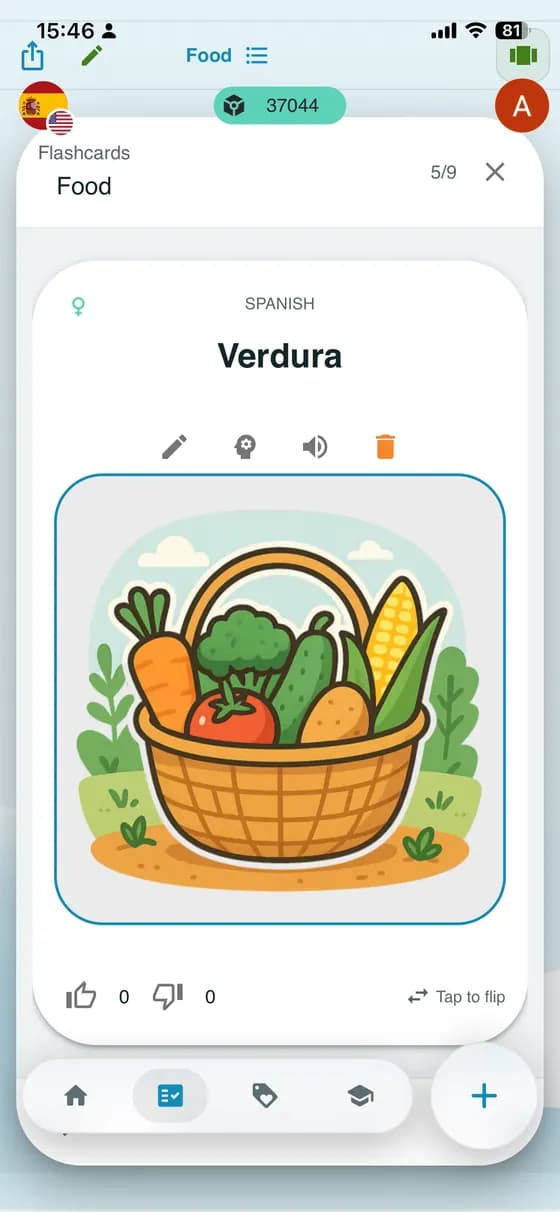
Picture flashcards
A vocabulary builder app that starts with your own words
Add new words in a snap!
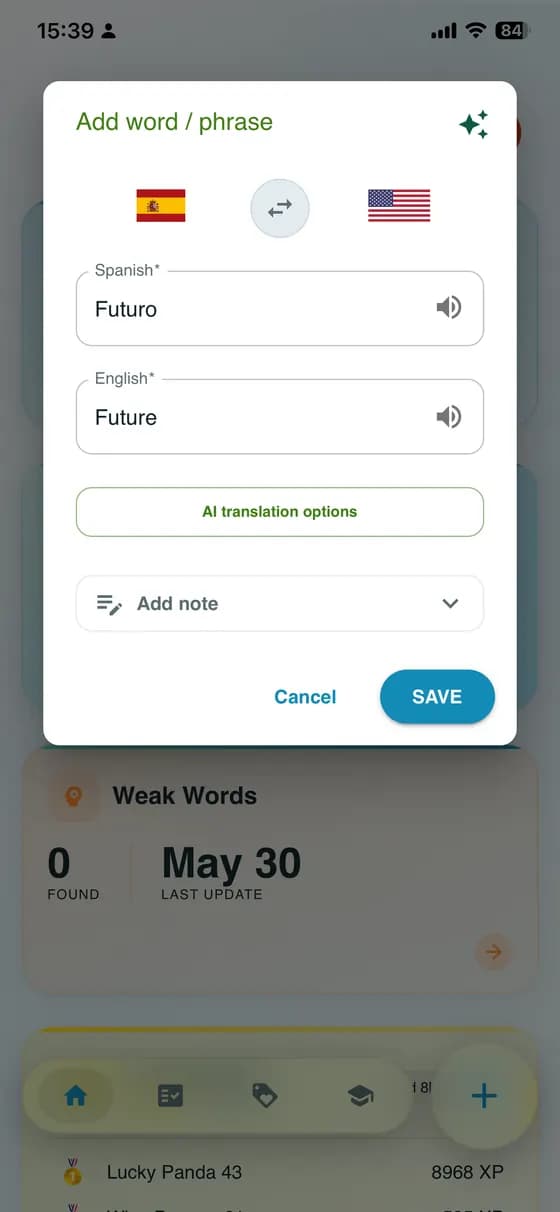
Just hit the big Plus button, then use the TRANSLATE button for a quick translation. Once you're happy, tap OK—and boom, you're done! Ready for the next one?
Add your words instantly
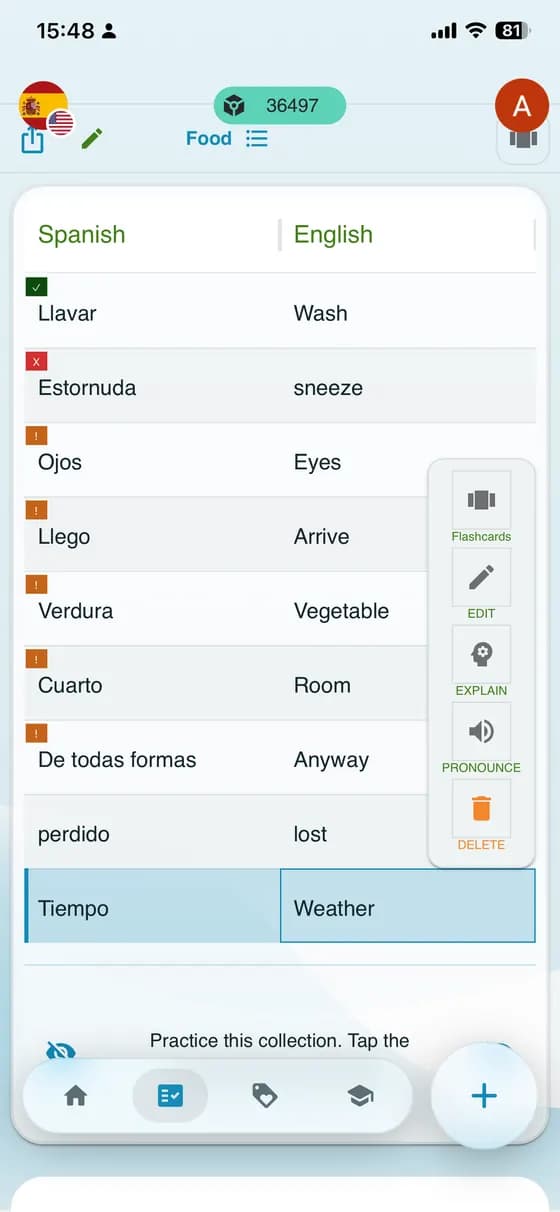
New words are saved in a two-column table where you can do many fun things!
For example, you can edit them, get AI explanations, or have them read aloud.
Remember words with picture flashcards
Connect each word with a picture and listen to how it sounds. Try to recall the translation, then tap the card to check.
Swipe through the words in your collection and review them at your own pace.
Generate AI Stories Using Your Words
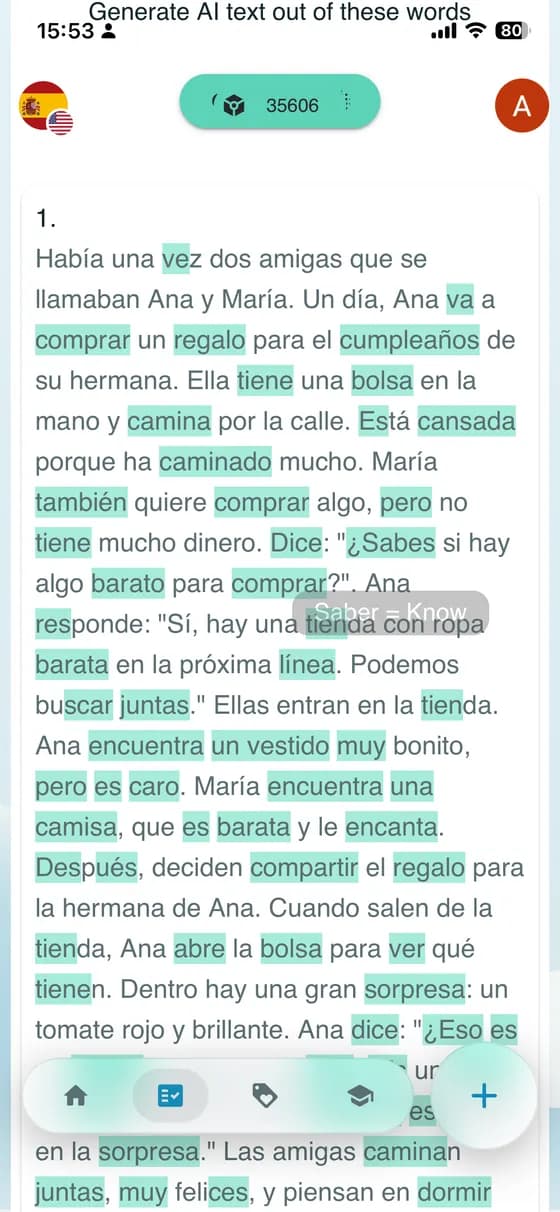
Want to see your words in action? Let our AI craft fun and engaging stories using the words you've added!
How does it work?
- Add words to your dictionary.
- Click Generate to create an AI-powered short story featuring your words.
- Enjoy a unique, personalized text where your words come to life in context!
🔊 Listen & Learn: Play the generated text aloud for better pronunciation!
🎨 Expand Your Imagination: Use AI-generated stories as a fun way to remember new words.
Start now and let AI make your language learning adventure even more exciting! 🚀
Begin memorization training with simple "Hide a column" mode
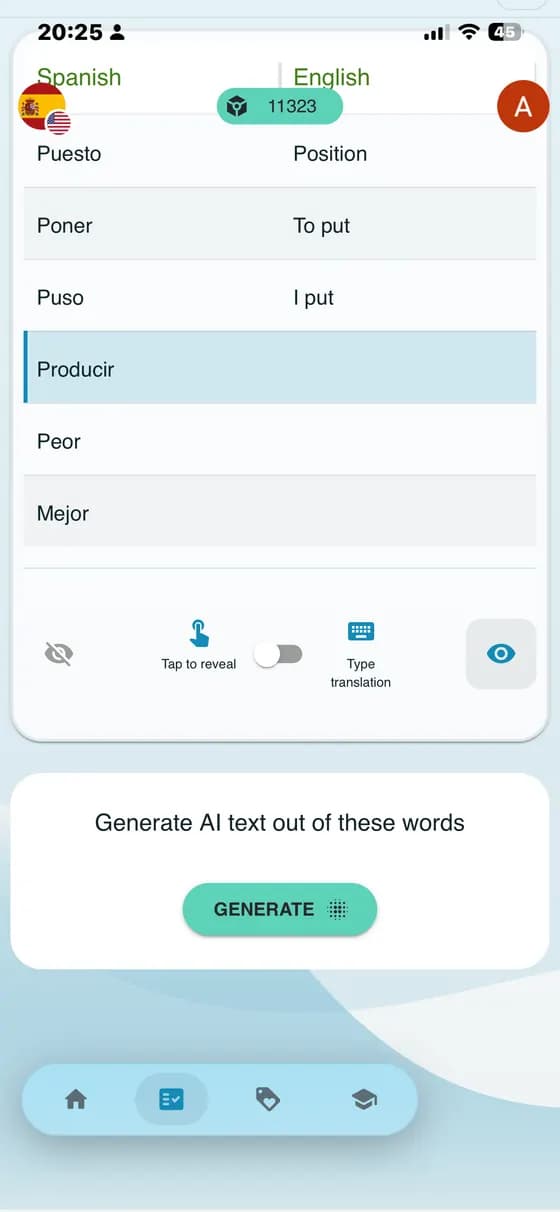
Simple Memorization Mode is your starting point for learning new words. Use it to quickly review and memorize words you just added before moving to more advanced training.
How does it work?
- Tap the eye icon at the bottom corner of a column to hide its words (they become blank). Try to recall the hidden words.
- Below the table, use the switch to choose your mode: Tap to reveal lets you check the answer by tapping, or Type translation lets you type the word and get instant feedback.
- Practice at your own pace. You can change which column is hidden, or switch between modes anytime.
🚀 Start here: Use Simple Memorization Mode to get familiar with new words.
🤖 Next step: Intelligent Training: The app will create special lessons with quizzes and exercises based on words you find most difficult, using advanced algorithms to help you master them.
Begin with Simple Memorization Mode, then continue to intelligent training for a complete learning experience!
Next step: Personalized AI-generated Lessons
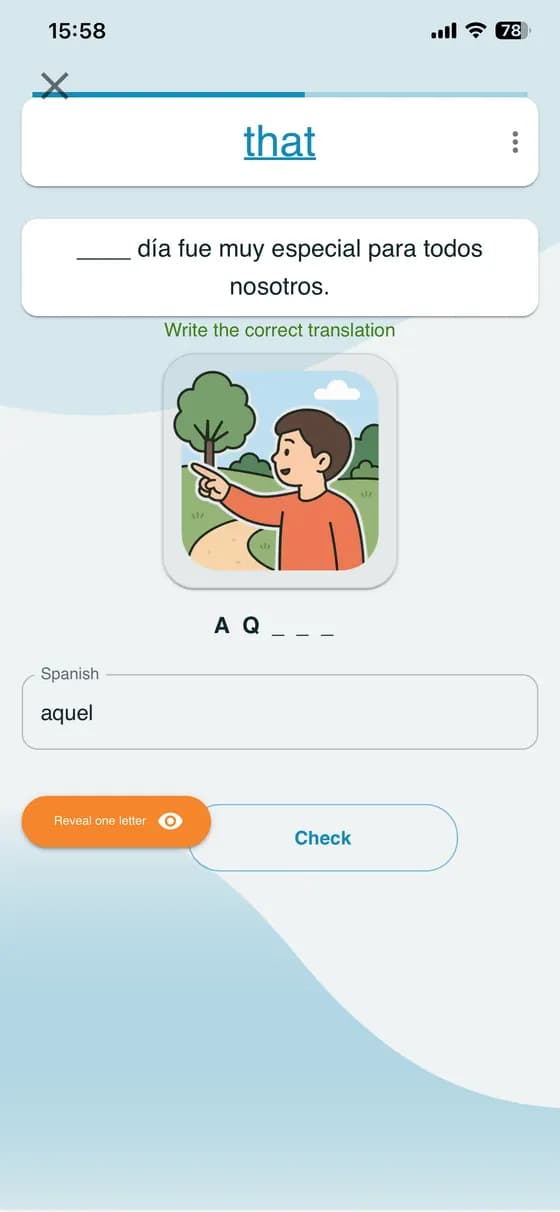
Ready for something more fun than simple memorization? Start Intelligent Training and let A-Dictionary build a lesson that feels like it was made just for you.
Instead of random practice, you’ll get a smart mix of:
1. new words you just added
2. tricky words you often confuse
3. quick refreshers so you don’t forget what you learned last week
Lessons stay light, modern, and motivating—so you can keep going even on busy days.
Read more about out our AI-lessons and algorithms here 👉 Learn new words and actually remember them
What learners say
“This is honestly the BEST vocabulary app I’ve ever installed. The audio, the exercises, the story generation, everything is wonderful. The way the app uses AI to make the user learn is impressive.”
Frequently asked questions
Is A-Dictionary free?
Yes. You can save your own words and use Tap to Reveal and Typing Practice for free, with no limit on those practice modes. AI features have usage limits; you can watch ads to get more AI tokens or choose an optional subscription for more AI-powered learning.
Which languages can I learn?
You can learn vocabulary in the languages supported by Google Translate and OpenAI, independently of the app's interface language. For example, an Arabic speaker can add an Arabic → Swedish language pair and learn Swedish while keeping the menus in English.
Can I start with ready-made vocabulary, or add my own words?
You can add your own words, choose a ready-made collection for an available language pair, or ask AI to generate one from a prompt such as “Swedish words for grocery shopping”. You can also take a photo or upload an image for AI to turn into a vocabulary collection, or use a PDF or text file.
Can I learn grammar too?
Yes, you can study grammar through clear explanations, examples and interactive exercises. The Grammar card appears when a course is available for your selected language pair. We plan to add courses for more language pairs.
Can I sync my vocabulary between devices?
Yes. Sign in with the same account on each device to sync your saved words, collections and lesson statistics. Your vocabulary stays connected to your account, so you can continue practising when you switch devices.
How is A-Dictionary different from a regular dictionary or flashcard app?
A-Dictionary connects looking up a word with practising it. Your saved vocabulary becomes the basis for flashcards, typing exercises, personalised AI lessons and AI-generated stories, with explanations and examples to help you understand how to use each word.